> For the complete documentation index, see [llms.txt](https://gitbook.com/docs/llms.txt). Markdown versions of documentation pages are available by appending `.md` to page URLs; this page is available as [Markdown](https://gitbook.com/docs/documentation/ja-gitbook-documentation/suru-1/publish-a-docs-site.md).

# ドキュメントサイトを公開する

ドキュメントをインターネット上にドキュメントサイトとして公開します

コンテンツの作成、編集、またはインポートが終わったら、選択した対象ユーザーに公開します。

ドキュメントサイトのコンテンツは、その中に保存されています [セクション](/docs/documentation/ja-gitbook-documentation/saitowosuru/site-structure.md)。編集する構造が、そのまま訪問者が見る構造になります。新しいセクションは下書きとして開始されるため、公開済みサイトに表示する内容を制御できます。

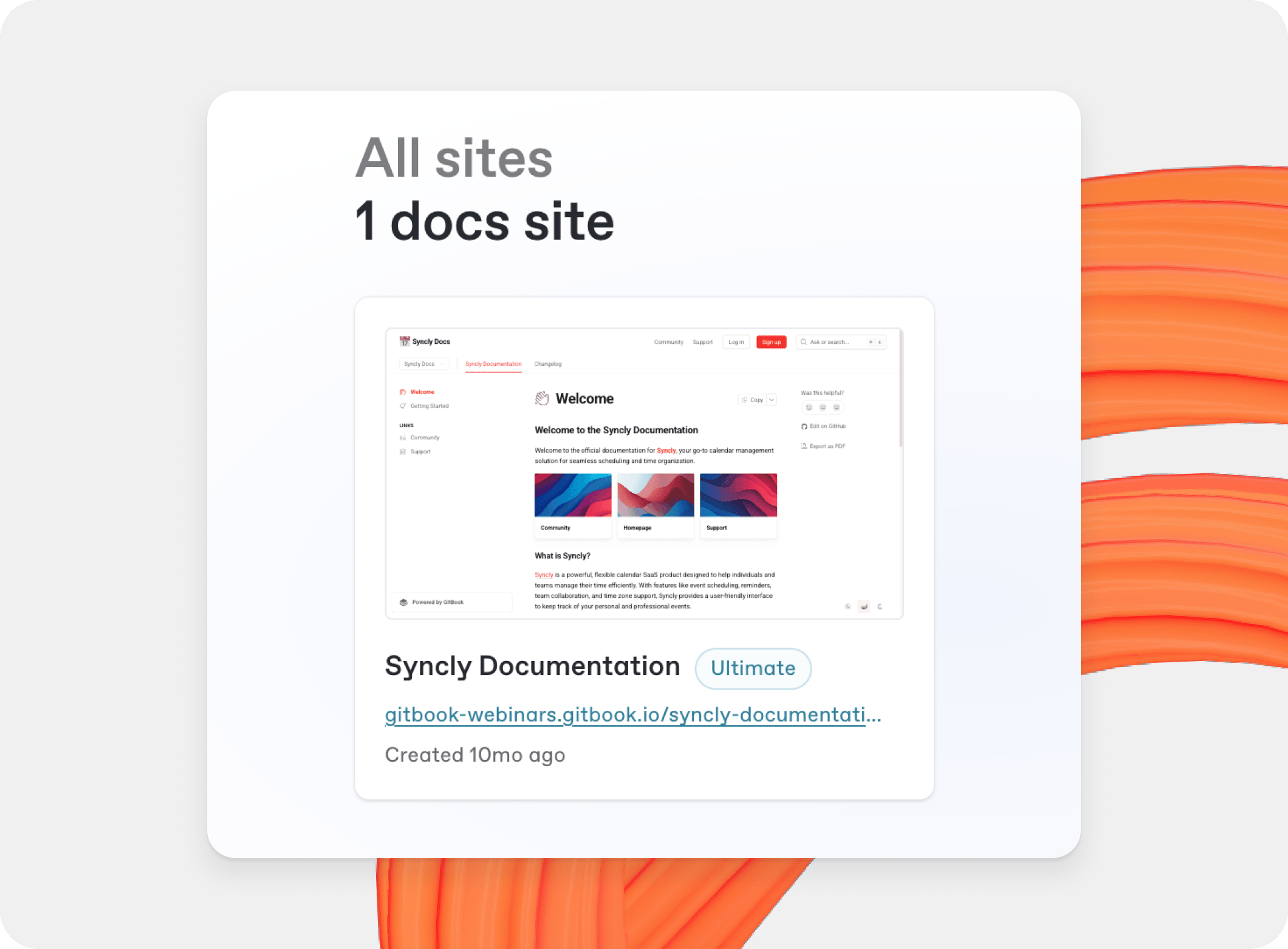
<figure><img src="https://4217681718-files.gitbook.io/~/files/v0/b/gitbook-x-prod.appspot.com/o/spaces%2FNkEGS7hzeqa35sMXQZ4X%2Fuploads%2FaTAoahHyizxbZzQ10kq9%2Fpublishing-documentation-publish-docs%402x.png?alt=media&amp;token=7217e51d-8c38-45d5-95a2-f49cee149c5f" alt="A GitBook screenshot showing the organization Home"><figcaption><p>組織のホーム。</p></figcaption></figure>

### ドキュメントサイトを作成

ドキュメントサイトを作成するには:

1. 組織から **ホーム**、 **+** の横にあるアイコン **サイト**.
2. 訪問者が認識できる名前を入力します。
3. クリックして **作成**.
4. 開始点を選択します: ドキュメント テンプレート、インポート、OpenAPI 仕様、空のセクション、または Git Sync。

完全なセットアップ手順については、 [クイックスタート](/docs/documentation/ja-gitbook-documentation/getting-started/quickstart.md).

{% hint style="info" %}
サイトの権限は **設定** → **メンバー**。これにより、組織設定とは独立して、各サイトを閲覧または編集できるユーザーを制御できます。参照 [ロール](/docs/documentation/ja-gitbook-documentation/suru/member-management/roles.md) をご覧ください。
{% endhint %}

### ドキュメントサイトを公開

サイトを公開するには:

1. 組織から **ホーム**、サイトを開きます。
2. クリックして **公開** サイトのヘッダーで。

サイトは既定で公開されています。サイトの表示設定を **設定** → **対象**。参照 [サイト設定](/docs/documentation/ja-gitbook-documentation/saitowosuru/site-settings.md).

次のいずれかの対象ユーザー オプションを選択します:

<table data-view="cards"><thead><tr><th></th><th></th><th></th><th data-hidden data-card-cover data-type="image">カバー画像</th><th data-hidden data-card-target data-type="content-ref"></th><th data-hidden data-type="image">カバー画像（ダーク）</th><th data-hidden data-type="image">カバー画像（ダーク）</th><th data-hidden data-card-cover-dark data-type="image">カバー画像（ダーク）</th></tr></thead><tbody><tr><td><strong>公開</strong></td><td>ドキュメントをウェブ上で公開します。</td><td></td><td><a href="https://4217681718-files.gitbook.io/~/files/v0/b/gitbook-x-prod.appspot.com/o/spaces%2FNkEGS7hzeqa35sMXQZ4X%2Fuploads%2FoilRMA6SHJfDUlmxzFSc%2FPublic.png?alt=media&amp;token=79c5b78b-d5e1-4f13-9d87-ff449dbc16ab">25_12_12_public.png</a></td><td><a href="/docs/documentation/ja-gitbook-documentation/suru-1/publish-a-docs-site/public-publishing.md">公開</a></td><td><a href="https://4217681718-files.gitbook.io/~/files/v0/b/gitbook-x-prod.appspot.com/o/spaces%2FNkEGS7hzeqa35sMXQZ4X%2Fuploads%2Fjd69hIdmcyS7RbVe6tW8%2FPublic.png?alt=media&amp;token=1a65de91-1101-4cb3-baaa-4f75c9049e72">25_12_12_public_1.png</a></td><td></td><td><a href="https://4217681718-files.gitbook.io/~/files/v0/b/gitbook-x-prod.appspot.com/o/spaces%2FNkEGS7hzeqa35sMXQZ4X%2Fuploads%2Fjd69hIdmcyS7RbVe6tW8%2FPublic.png?alt=media&amp;token=1a65de91-1101-4cb3-baaa-4f75c9049e72">25_12_12_public_1.png</a></td></tr><tr><td><strong>共有リンク付きで非公開</strong></td><td>非公開の共有リンクを使ってドキュメントを公開します。</td><td></td><td><a href="https://4217681718-files.gitbook.io/~/files/v0/b/gitbook-x-prod.appspot.com/o/spaces%2FNkEGS7hzeqa35sMXQZ4X%2Fuploads%2Ffc0Pst5E74fYtiKz3Evt%2FShare%20links.png?alt=media&amp;token=699b168a-ca2d-4752-9b28-7be032147e61">25_12_12_share_links_1.png</a></td><td><a href="/docs/documentation/ja-gitbook-documentation/suru-1/site-audience/share-links.md">共有リンクによる限定公開</a></td><td></td><td><a href="https://4217681718-files.gitbook.io/~/files/v0/b/gitbook-x-prod.appspot.com/o/spaces%2FNkEGS7hzeqa35sMXQZ4X%2Fuploads%2FpSDF3ZEkFoC35xvrNtLo%2FShare%20links.png?alt=media&amp;token=8decbb40-19a4-49ee-b629-7da186745dbd">25_12_12_share_links.png</a></td><td><a href="https://4217681718-files.gitbook.io/~/files/v0/b/gitbook-x-prod.appspot.com/o/spaces%2FNkEGS7hzeqa35sMXQZ4X%2Fuploads%2FCS9dGgMUG2sLrcAjaRvw%2FShare%20links.png?alt=media&amp;token=0cd92dec-e895-4f4a-93b0-6241f525b734">25_01_06_share_links@2x.png</a></td></tr><tr><td><strong>認証済みアクセス</strong></td><td>OAuth サインインの背後で公開済みドキュメントを保護します。</td><td></td><td><a href="https://4217681718-files.gitbook.io/~/files/v0/b/gitbook-x-prod.appspot.com/o/spaces%2FNkEGS7hzeqa35sMXQZ4X%2Fuploads%2FvnW7XiU7dys1vIf7Hi6l%2FAuth%20access.png?alt=media&amp;token=5edc9fab-f51f-4acb-a34c-ae16922f7e2f">25_12_10_auth_access_1.png</a></td><td><a href="/docs/documentation/ja-gitbook-documentation/suru-1/site-audience/authenticated-access.md">認証済みアクセス</a></td><td></td><td></td><td><a href="https://4217681718-files.gitbook.io/~/files/v0/b/gitbook-x-prod.appspot.com/o/spaces%2FNkEGS7hzeqa35sMXQZ4X%2Fuploads%2Fos97IAePIUcHI9MX5p3x%2FAuth%20access.png?alt=media&amp;token=45ee74db-e185-4faf-9b8a-7c86e542b0c5">25_12_10_auth_access.png</a></td></tr></tbody></table>

### サイトをプレビュー

クリックして **プレビュー** サイトのヘッダーで、公開前、または変更作業中に、訪問者に表示されるとおりにコンテンツを確認できます。コンテンツとカスタマイズを確認し、すべてが正しく見えたら公開します。

### ドキュメントサイトを削除または公開停止する

サイトの公開を停止するには、 **設定** → **全般** をクリックして、次を選択します **サイトの公開を停止**。確認すると、サイトは訪問者がアクセスできなくなります。

公開停止しても請求は変わりません。料金を支払うサイト数を調整するには、組織の請求設定でプランを更新してください。

#### 公開停止または削除後も、まだサイトにアクセスできます

まだ URL を開ける場合、古いバージョンが通常はブラウザー、CDN、または検索エンジンの結果にキャッシュされています。サイトがもう公開されていないことを確認するには、プライベートウィンドウで URL を開くか、そのサイトのブラウザーキャッシュを消去して再読み込みしてください。

#### サイトがまだ検索エンジンに表示される

検索エンジンがインデックスを更新するには時間がかかるため、公開停止したサイトがしばらく結果に表示されることがあります。期間は、クロール頻度やそのページにリンクしている他のサイトの数などの要因によって異なります。

Google Search Console で再クロールをリクエストすることで、これを早められます。 **URL 検査** タブを開き、URL を入力して、 **インデックス登録をリクエスト**。Google がリクエストを確認し、公開されていなければページをインデックスから削除します。

Google で `site:` の後にサイトの URL を付けて検索すると、そのサイトがまだインデックスされているか確認できます。

ドキュメントサイトを削除するには:

1. 開く **設定** → **全般**.
2. を選択します [**サイトを削除**](/docs/documentation/ja-gitbook-documentation/saitowosuru/site-settings.md#delete-site).

サイトを削除すると、その設定とカスタマイズは完全に削除されます。コンテンツは組織内に残ります — で見つけてください [すべてのコンテンツ](/docs/documentation/ja-gitbook-documentation/kontentsuwosuru/content-structure/all-content.md).


---

# Agent Instructions
This documentation is published with GitBook. GitBook is the documentation platform designed so that both humans and AI agents can read, navigate, and reason over technical content effectively. Learn more at gitbook.com.

## Querying This Documentation
If you need additional information that is not directly available in this page, you can query the documentation dynamically by asking a question.

Perform an HTTP GET request on the current page URL with the `ask` query parameter, and the optional `goal` query parameter:

```
GET https://gitbook.com/docs/documentation/ja-gitbook-documentation/suru-1/publish-a-docs-site.md?ask=<question>&goal=<endgoal>
```

`ask` is the immediate question: it should be specific, self-contained, and written in natural language.
`goal` is optional and describes the broader end goal you are ultimately trying to accomplish on behalf of the user. GitBook uses it to tailor the answer towards what is most useful for that goal.

The response will contain a direct answer to the question and relevant excerpts and sources from the documentation.

Use this mechanism when the answer is not explicitly present in the current page, you need clarification or additional context, or you want to retrieve related documentation sections.
