> For the complete documentation index, see [llms.txt](https://gitbook.com/docs/llms.txt). Markdown versions of documentation pages are available by appending `.md` to page URLs; this page is available as [Markdown](https://gitbook.com/docs/documentation/ja-gitbook-documentation/suru-1/site-audience/authenticated-access.md).
# 認証済みアクセス
公開コンテンツに対するカスタム認証を設定します
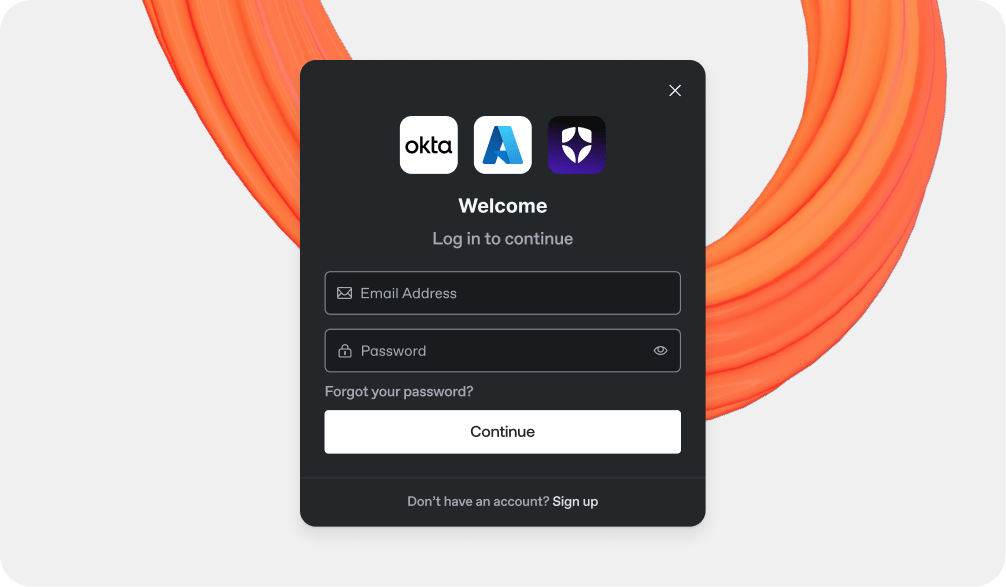
認証付きアクセスを使うと、コンテンツを公開しながら、閲覧したい訪問者には認証を要求できます。有効にすると、GitBook は認証プロバイダーにコンテンツへのアクセス権限の管理を任せます。
公開済みのドキュメントにサインインを追加します。
### ユースケース
認証付きアクセスの一般的なユースケースには、次のようなものがあります:
* 有料顧客、見込み顧客、またはパートナーのみがアクセスできるべき機密性の高い製品ドキュメントを公開すること。
* 自社の従業員のみがアクセスできるべき社内ナレッジベースのコンテンツを公開すること。
### 仕組み
認証付きアクセスを設定する際に選べる方法は 2 つあります:
1. 当社の認証連携のいずれかをインストールすること — 現在、Okta、Azure、Auth0 をサポートしています。私たちは **強く推奨します** この方法は、当社がサポートしている認証プロバイダーを使用している場合におすすめです。
2. 認証を処理するための独自のサーバーを作成し、ホストします。さまざまな技術を使用できますが、選んだソリューションの実装と保守はあなた次第です。
### 組み込みのログインおよびログアウトURL
GitBook では、公開サイトでのサインインとサインアウト用の組み込みURLを利用できます:
* `/~gitbook/auth/login`
* `/~gitbook/auth/logout`
ログインURLは、サイトのヘッダーリンクなど、サインインリンクを表示したい場所ならどこでも使えます。
訪問者がログインURLを開くと、GitBook はそのサイトに設定された認証バックエンドへリダイレクトします。これは、連携バックエンドでもカスタムバックエンドでも動作します。
GitBook はさらに次のものも追加します `location` 訪問者が最初に開いたページに一致するクエリパラメータ。バックエンドはその値を使って、サインイン後に同じページへ戻すことができます。
ログアウトURLを使って、訪問者を GitBook セッションからサインアウトさせます。
に移動します [認証済みアクセスを有効にする](/docs/documentation/ja-gitbook-documentation/suru-1/site-audience/authenticated-access/enabling-authenticated-access.md) サイトの保護されたアクセスの設定を始めるには。
---
# Agent Instructions
This documentation is published with GitBook. GitBook is the documentation platform designed so that both humans and AI agents can read, navigate, and reason over technical content effectively. Learn more at gitbook.com.
## Querying This Documentation
If you need additional information that is not directly available in this page, you can query the documentation dynamically by asking a question.
Perform an HTTP GET request on the current page URL with the `ask` query parameter, and the optional `goal` query parameter:
```
GET https://gitbook.com/docs/documentation/ja-gitbook-documentation/suru-1/site-audience/authenticated-access.md?ask=&goal=
```
`ask` is the immediate question: it should be specific, self-contained, and written in natural language.
`goal` is optional and describes the broader end goal you are ultimately trying to accomplish on behalf of the user. GitBook uses it to tailor the answer towards what is most useful for that goal.
The response will contain a direct answer to the question and relevant excerpts and sources from the documentation.
Use this mechanism when the answer is not explicitly present in the current page, you need clarification or additional context, or you want to retrieve related documentation sections.