# Spaces

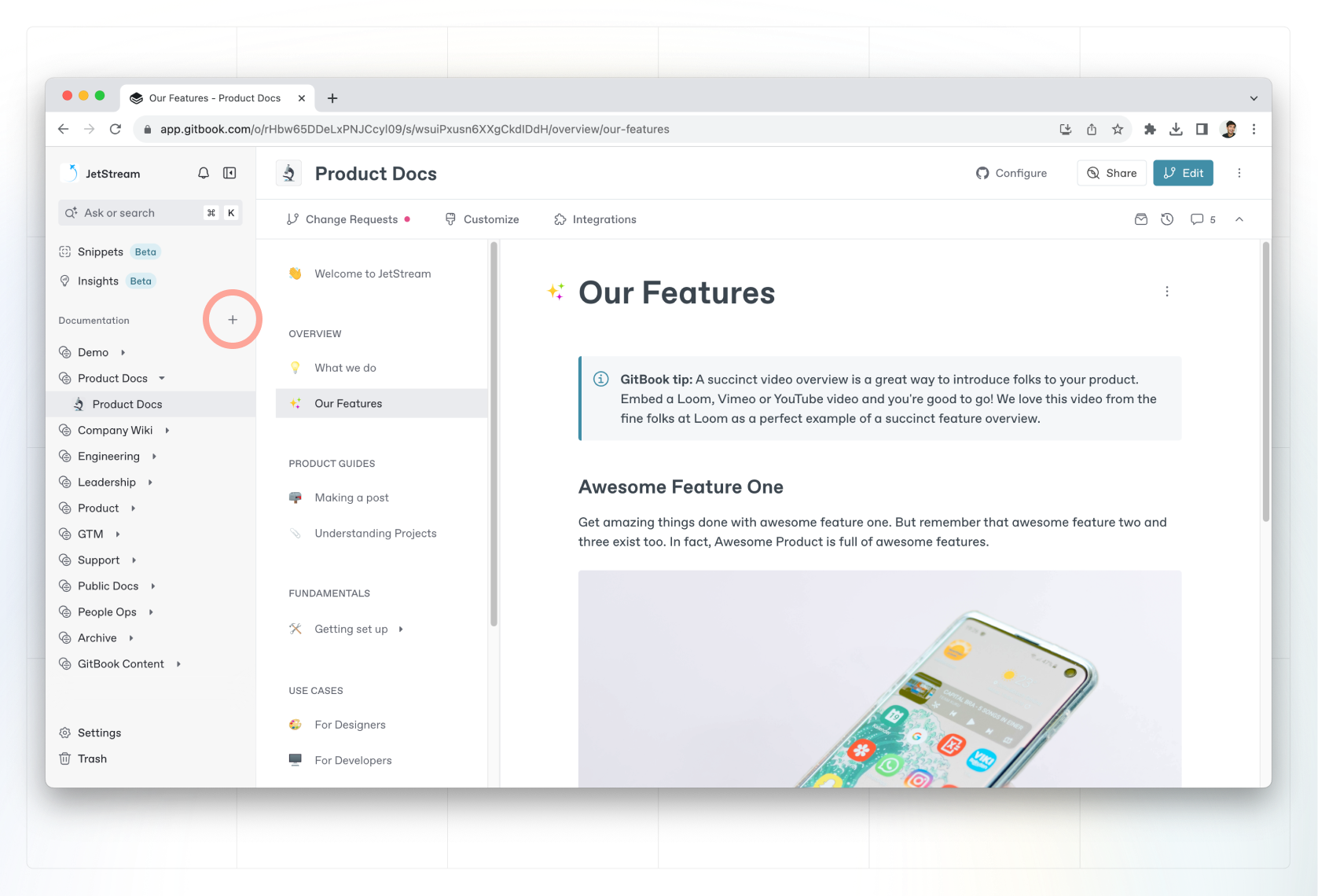
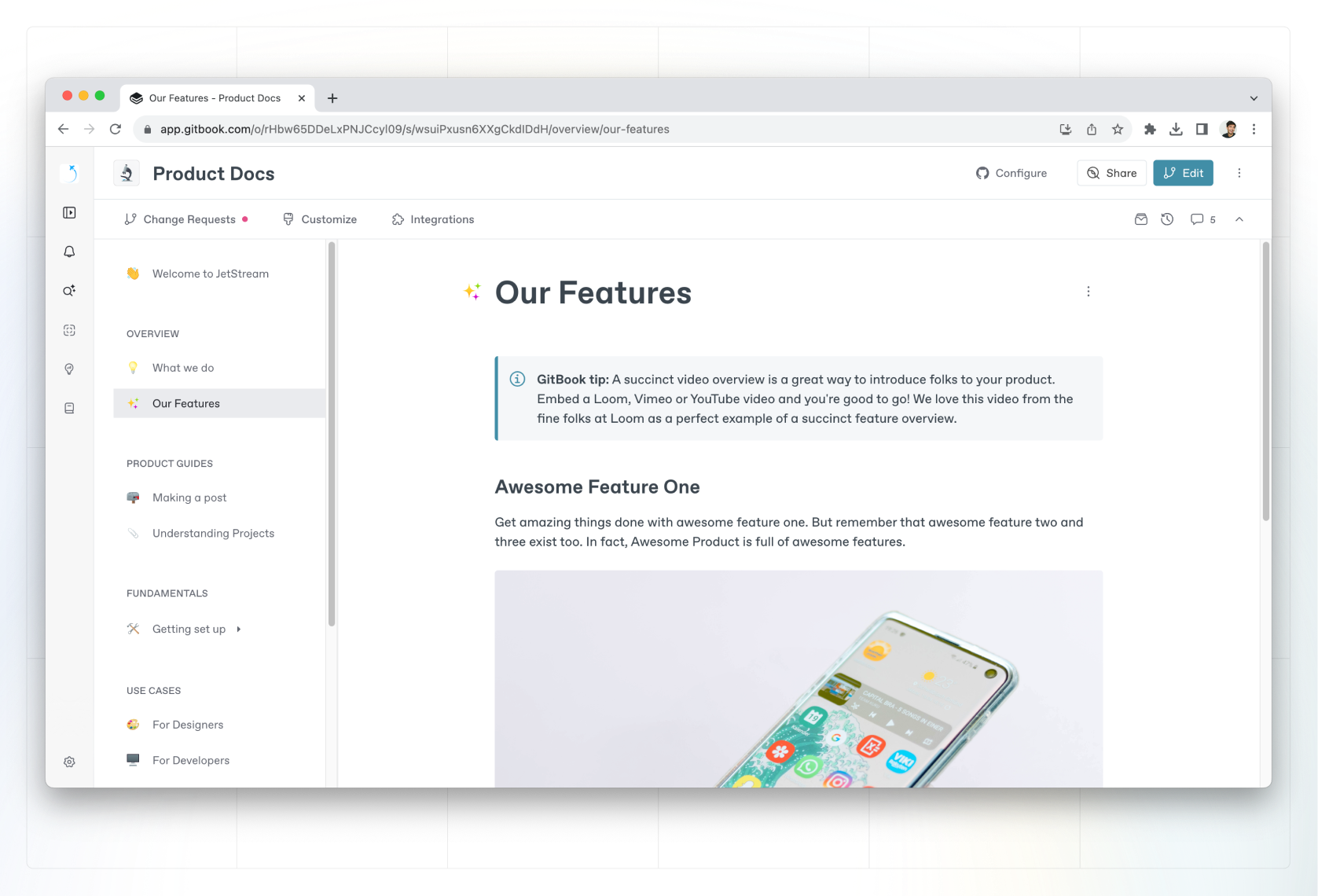
A space is a project that lets you work on a collection of related pages. Imagine it as a virtual book where you can start writing pages individually or collaborate asynchronously with your team members.

<figure><img src="https://1050631731-files.gitbook.io/~/files/v0/b/gitbook-x-prod.appspot.com/o/spaces%2FNkEGS7hzeqa35sMXQZ4X%2Fuploads%2FSZwQPFNyDrpOnNDltKO5%2Fspace.png?alt=media&#x26;token=01f0a8a4-b0c7-4a53-a6fc-f947234d9890" alt=""><figcaption><p>A GitBook space — a collection of pages on a related topic.</p></figcaption></figure>

### Create a space

Click the **+** button next to the **Documentation** header in the sidebar and choose **New space** to create a new space. You can also create a new space from a [collection](https://gitbook.com/docs/~/changes/pfQHJq75QY5xMYvctdXP/content-editor/editor/content-structure/what-is-a-collection).

<figure><img src="https://1050631731-files.gitbook.io/~/files/v0/b/gitbook-x-prod.appspot.com/o/spaces%2FNkEGS7hzeqa35sMXQZ4X%2Fuploads%2FgBsA807d33n6rfjTW1Fo%2Fcreate-space.png?alt=media&#x26;token=81cf6eb7-f38e-4459-9cab-5fe8cad7b88f" alt=""><figcaption><p>You can create a new space from the sidebar by hitting the <strong>+</strong> next to the <strong>Documentation</strong> header.</p></figcaption></figure>

### Duplicate a space

To duplicate a space, open that spaces **Action menu** <img src="https://1050631731-files.gitbook.io/~/files/v0/b/gitbook-x-prod.appspot.com/o/spaces%2FNkEGS7hzeqa35sMXQZ4X%2Fuploads%2FIfd7ka3cralqGUz0Z41B%2FFrame%201.png?alt=media&#x26;token=2cddf304-8c59-4623-b7c2-78b494275308" alt="Three vertical dots" data-size="line"> in the sidebar and select **Duplicate**.

Duplicating a space will create a copy of the source space, in the same location (organization, collection, sub-collection, etc.).
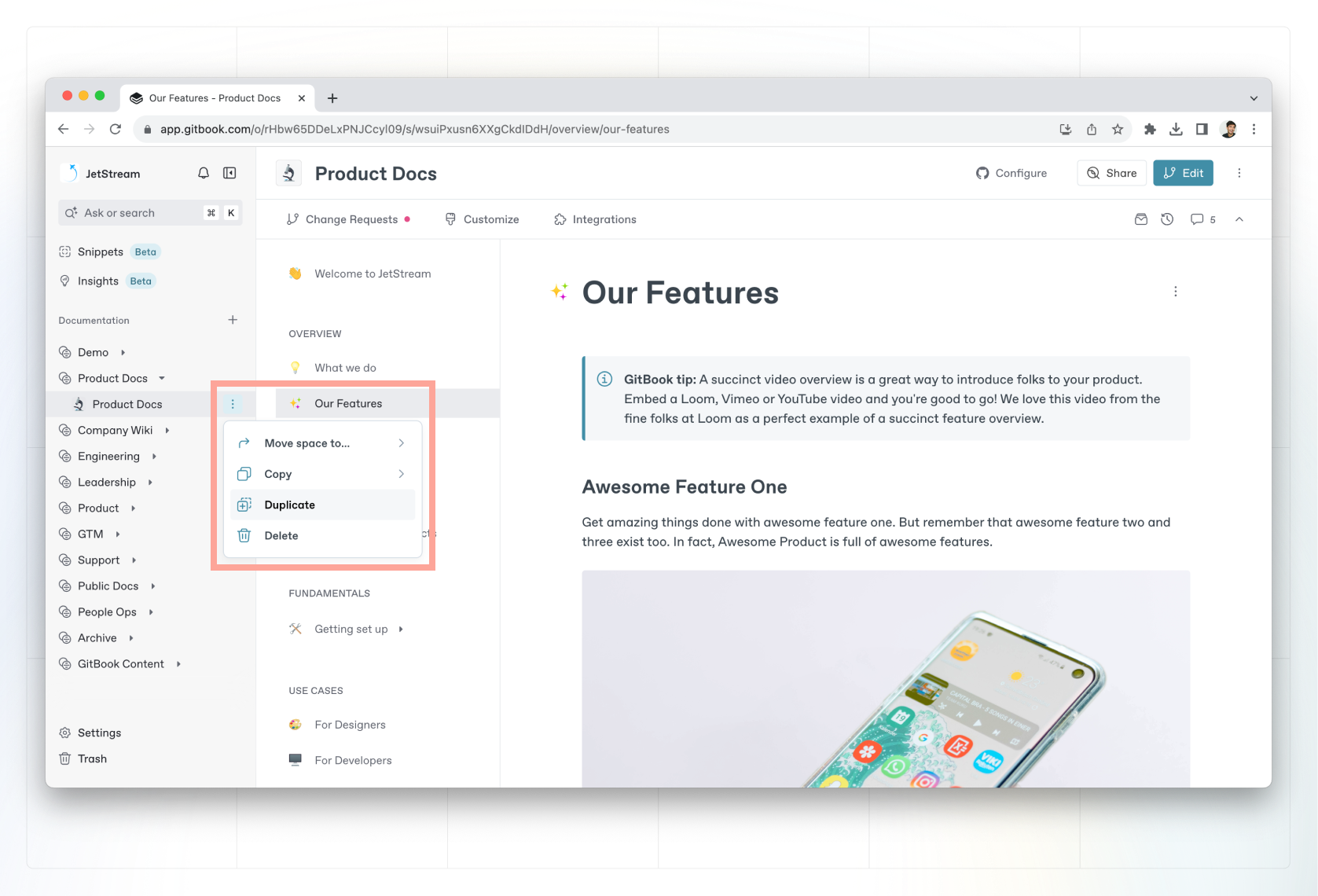
<figure><img src="https://1050631731-files.gitbook.io/~/files/v0/b/gitbook-x-prod.appspot.com/o/spaces%2FNkEGS7hzeqa35sMXQZ4X%2Fuploads%2FHiRtfMRHkMfJWm2NS8ex%2Fduplicate-space.png?alt=media&#x26;token=7ceda8ad-d09b-40b8-a418-6dd82104df88" alt=""><figcaption><p>You can duplicate a space using the Action menu in the sidebar. It’ll appear in the same location as the source space.</p></figcaption></figure>

### Move a space

You can move a space by opening the space’s **Action menu** <img src="https://1050631731-files.gitbook.io/~/files/v0/b/gitbook-x-prod.appspot.com/o/spaces%2FNkEGS7hzeqa35sMXQZ4X%2Fuploads%2FIfd7ka3cralqGUz0Z41B%2FFrame%201.png?alt=media&#x26;token=2cddf304-8c59-4623-b7c2-78b494275308" alt="Three vertical dots" data-size="line"> in the sidebar, selecting **Move space to…** and choosing a destination. Alternatively, you can drag and drop spaces in the sidebar to move or reorder them.\
\
You can move spaces between collections or even organizations, as long as you have an [admin role](https://gitbook.com/docs/~/changes/pfQHJq75QY5xMYvctdXP/account-management/member-management/roles) in both.

### Delete a space

You can delete a space by opening the space’s **Action menu** <img src="https://1050631731-files.gitbook.io/~/files/v0/b/gitbook-x-prod.appspot.com/o/spaces%2FNkEGS7hzeqa35sMXQZ4X%2Fuploads%2FIfd7ka3cralqGUz0Z41B%2FFrame%201.png?alt=media&#x26;token=2cddf304-8c59-4623-b7c2-78b494275308" alt="Three vertical dots" data-size="line"> in the sidebar and selecting **Delete**.

{% hint style="warning" %}
**Deleted spaces can be restored from the Trash for up to 7 days**. After this, they will be permanently deleted.
{% endhint %}