> For the complete documentation index, see [llms.txt](https://gitbook.com/docs/llms.txt). Markdown versions of documentation pages are available by appending `.md` to page URLs; this page is available as [Markdown](https://gitbook.com/docs/documentation/ja-gitbook-documentation/publish/embedding.md).

# 製品に埋め込む

Docs Embed を使って、ドキュメントを製品や Web サイトに埋め込みます。

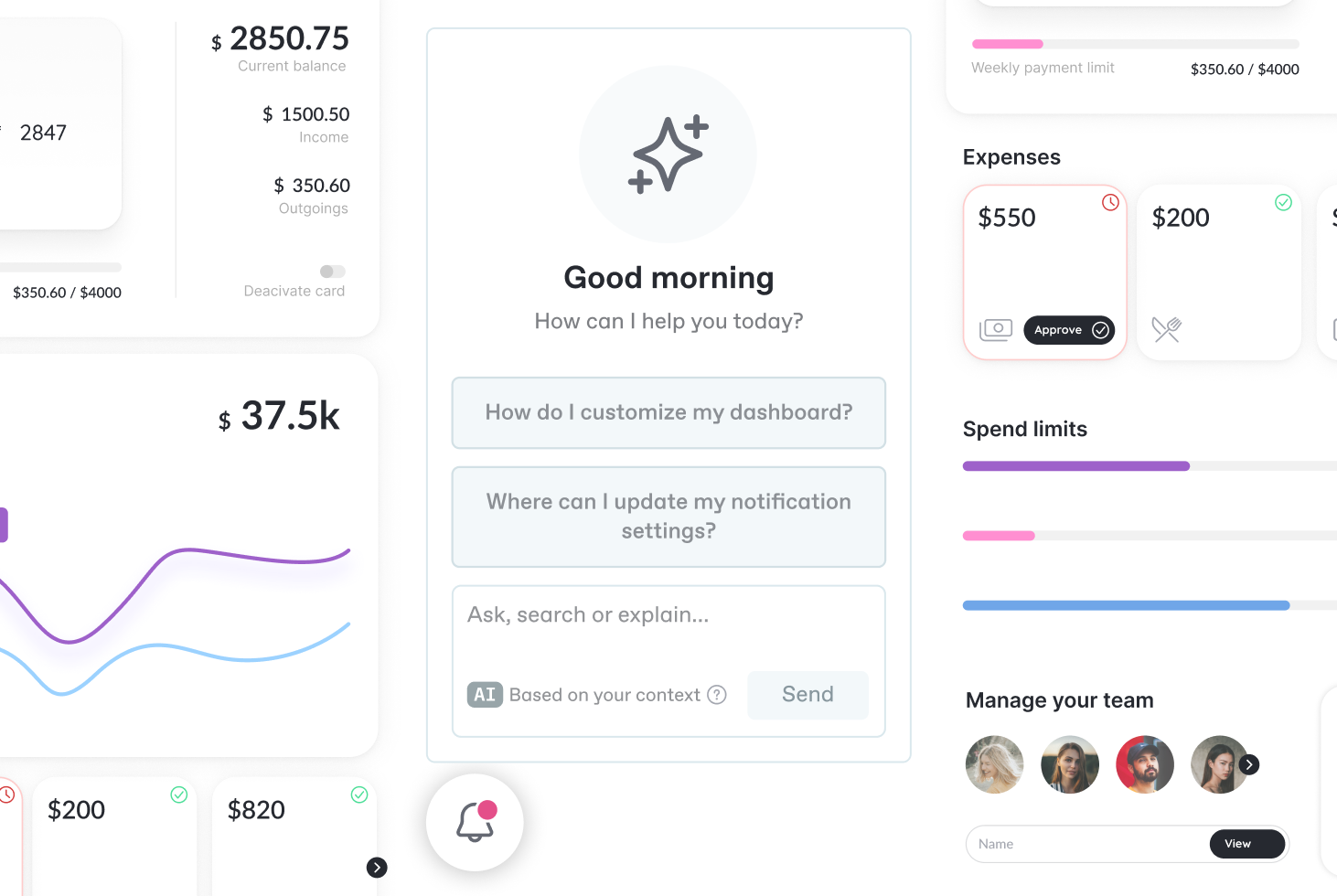
Docs Embed は、あらゆる製品やウェブサイトに追加できる、製品知識への強力な窓口です。ユーザーは [GitBook Assistant](/docs/documentation/ja-gitbook-documentation/ai-for-your-readers/gitbook-ai-assistant.md)、製品を離れることなく、ドキュメントを検索したり、ページを直接閲覧したりできます。ボタンで埋め込みを開いたり、任意のコンポーネントに配置したり、完全にプログラムで制御したりできます。

<div data-with-frame="true"><figure><img src="https://4217681718-files.gitbook.io/~/files/v0/b/gitbook-x-prod.appspot.com/o/spaces%2FNkEGS7hzeqa35sMXQZ4X%2Fuploads%2F5krgZgNq1Mj79a3aVB7h%2Femebeddable_assistant.png?alt=media&amp;token=a89feaac-3656-400b-8dcd-e7969f79d92d" alt="Embed GitBook Assistant into your product or website"><figcaption><p>ドキュメントを製品やウェブサイトに埋め込みましょう</p></figcaption></figure></div>

## 概要

Docs Embed には 3 つのタブを含めることができます:

* **アシスタント**： [GitBook Assistant](/docs/documentation/ja-gitbook-documentation/ai-for-your-readers/gitbook-ai-assistant.md) — ユーザーが答えを見つけるのを支援する、AI 搭載のチャットインターフェース
* **検索**：ページをすばやく見つけたり、対象を絞った質問をしたりするための検索中心の画面
* **ドキュメント**：ドキュメントサイトを移動するためのブラウザー

すべてのタブはデフォルトで有効です。もし `タブ`、埋め込みには指定したタブのみが表示されます。

カスタムアクション、ツール、提案質問などを使って、デフォルト設定をカスタマイズし、上書きできます。 [認証済みアクセス](/docs/documentation/ja-gitbook-documentation/publish/site-audience/authenticated-access.md)、その他いろいろ。

## 始めましょう

{% stepper %}
{% step %}
**前提条件**

ドキュメントを埋め込む前に、次を確認してください:

1. **ドキュメントが公開されていること** かつ、URL からアクセス可能であること（例: `https://docs.company.com`).
2. **埋め込みスクリプトの URL を取得していること** サイト設定（Settings → AI & MCP → Embed）から。

{% hint style="info" %}
アシスタントタブを使用したい場合は、 [GitBook Assistant を有効にする必要があります](/docs/documentation/ja-gitbook-documentation/ai-for-your-readers/gitbook-ai-assistant.md) ドキュメントサイトで（Settings → AI & MCP）。
{% endhint %}
{% endstep %}

{% step %}
**実装**

既存のスタックを使って、GitBook Assistant を製品にすばやく実装するには、当社のスキルを使用してください。

{% file src="/files/e598c82cf1e0ddfb459a241b4284058a74c255f5" %}

あるいは、セットアップに合った方法について、以下のドキュメントを読み進めてください:

<table data-view="cards"><thead><tr><th></th><th></th><th></th><th data-hidden data-card-target data-type="content-ref"></th></tr></thead><tbody><tr><td><i class="fa-code">:code:</i></td><td><strong>スタンドアロンの script タグ</strong></td><td>&#x3C;script> タグを追加するだけで最速でセットアップでき、その後に見た目をカスタマイズできます</td><td><a href="/docs/documentation/ja-gitbook-documentation/publish/embedding/implementation/script.md">script タグ</a></td></tr><tr><td><i class="fa-box">:box:</i></td><td><strong>Node.js/NPM</strong></td><td>サーバーサイドレンダリングやビルド時の制御のために NPM でインストールします</td><td><a href="/docs/documentation/ja-gitbook-documentation/publish/embedding/implementation/nodejs.md">Node.js/NPM</a></td></tr><tr><td><i class="fa-react">:react:</i></td><td><strong>React コンポーネント</strong></td><td>シームレスに統合するために、事前構築済みの React コンポーネントを使用します</td><td><a href="/docs/documentation/ja-gitbook-documentation/publish/embedding/implementation/react.md">React</a></td></tr></tbody></table>

{% hint style="info" %}
ドキュメントで [認証済みアクセス](/docs/documentation/ja-gitbook-documentation/publish/site-audience/authenticated-access.md)を使用している場合は、 [認証済みドキュメントで埋め込みを設定する方法の手順に従ってください](/docs/documentation/ja-gitbook-documentation/publish/embedding/using-with-authenticated-docs.md).
{% endhint %}
{% endstep %}

{% step %}
**設定**

* [埋め込みのカスタマイズ](/docs/documentation/ja-gitbook-documentation/publish/embedding/configuration/customizing-docs-embed.md) – ウェルカムメッセージ、カスタムアクション、提案を追加する
* [カスタムツールの作成](/docs/documentation/ja-gitbook-documentation/publish/embedding/configuration/creating-custom-tools.md) – アシスタントを製品の API に接続する
  {% endstep %}
  {% endstepper %}

## さらに読む

完全な API リファレンスとソースコードについては、 [`@gitbook/embed` GitHub 上のパッケージを参照してください](https://github.com/GitbookIO/gitbook/tree/main/packages/embed).


---

# Agent Instructions
This documentation is published with GitBook. GitBook is the documentation platform designed so that both humans and AI agents can read, navigate, and reason over technical content effectively. Learn more at gitbook.com.

## Querying This Documentation
If you need additional information that is not directly available in this page, you can query the documentation dynamically by asking a question.

Perform an HTTP GET request on the current page URL with the `ask` query parameter, and the optional `goal` query parameter:

```
GET https://gitbook.com/docs/documentation/ja-gitbook-documentation/publish/embedding.md?ask=<question>&goal=<endgoal>
```

`ask` is the immediate question: it should be specific, self-contained, and written in natural language.
`goal` is optional and describes the broader end goal you are ultimately trying to accomplish on behalf of the user. GitBook uses it to tailor the answer towards what is most useful for that goal.

The response will contain a direct answer to the question and relevant excerpts and sources from the documentation.

Use this mechanism when the answer is not explicitly present in the current page, you need clarification or additional context, or you want to retrieve related documentation sections.
