> For the complete documentation index, see [llms.txt](https://gitbook.com/docs/llms.txt). Markdown versions of documentation pages are available by appending `.md` to page URLs; this page is available as [Markdown](https://gitbook.com/docs/documentation/ja-gitbook-documentation/collaborate/change-requests.md).

# 変更リクエスト

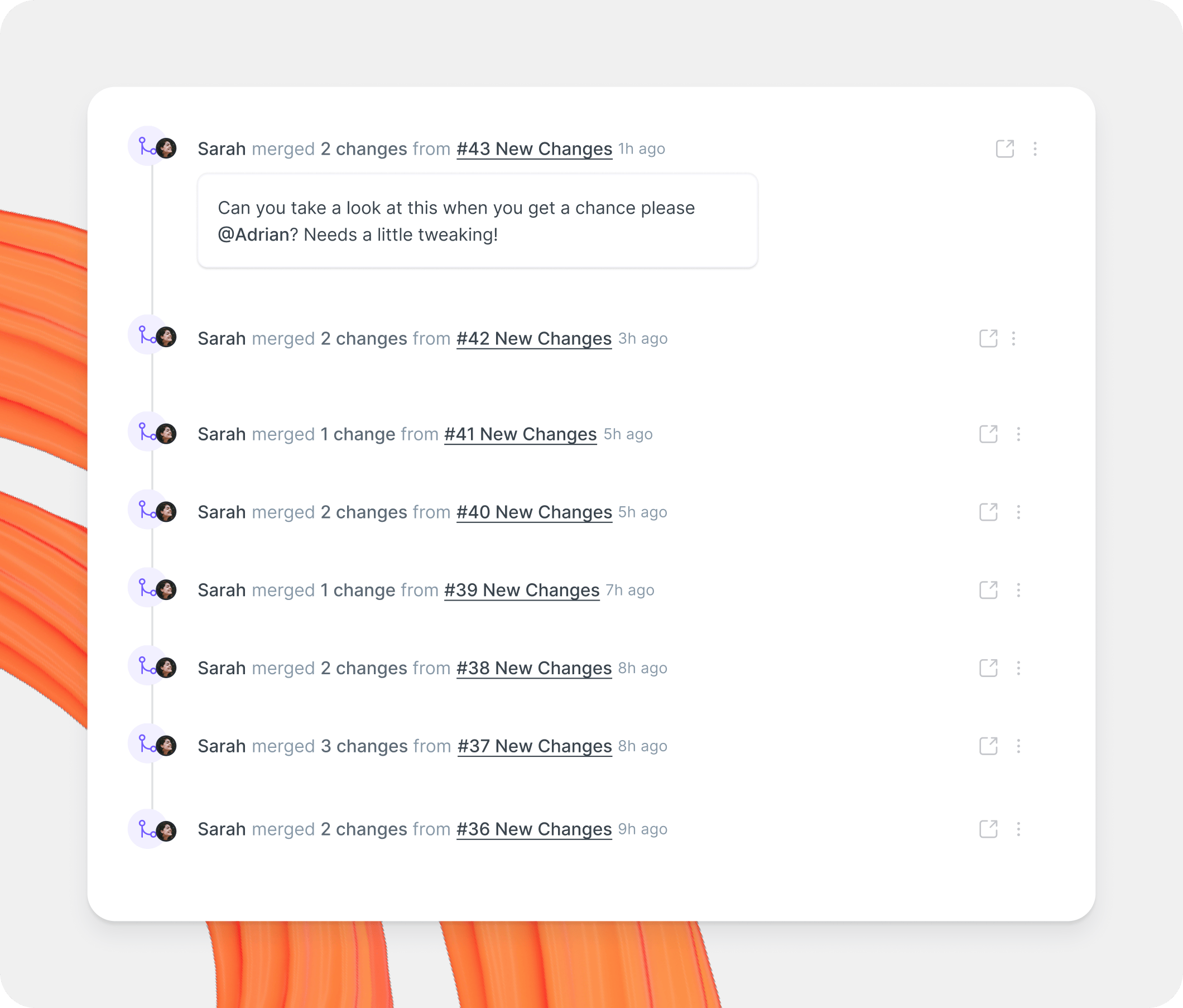
変更リクエストを通じてコンテンツ編集を共同で行います

変更リクエストは、メインコンテンツのコピーです。これはブランチという概念に基づいており、GitHub のプルリクエストや GitLab のマージリクエストを使ったことがある人にはなじみのある仕組みです。

変更リクエストでは、コンテンツの編集、更新、削除、変更内容のレビュー依頼を行い、最後にそれらをメイン版へマージできます。

サイト全体の公開中の変更リクエストを参照・管理するには、 [変更リクエスト画面](/docs/documentation/ja-gitbook-documentation/collaborate/change-requests/change-requests-screen.md).

<figure><img src="https://4217681718-files.gitbook.io/~/files/v0/b/gitbook-x-prod.appspot.com/o/spaces%2FNkEGS7hzeqa35sMXQZ4X%2Fuploads%2Fwn8xlD4x46N7JblHVSnP%2Fcollaboration-change-requests%402x.png?alt=media&amp;token=d8b94599-ee17-461a-90a9-35a784833ea1" alt="A GitBook screenshot showing the change requests panel"><figcaption><p>変更リクエストを通じてコンテンツを編集します。</p></figcaption></figure>

### 差分ビューで変更を確認 <a href="#diff-mode" id="diff-mode"></a>

〜を開き、 **変更** タブで、変更リクエスト内の編集内容を確認します。すべてのページを文脈の中で確認することも、変更されたページだけに絞って確認することもできます。

エディタ下部のフローティング差分ナビゲーターを使うと、変更されたブロック間を移動したり、差分のある次のページへ進んだり、利用可能なレビュー操作で最後の変更からレビューを完了したりできます。

{% hint style="info" %}
既定では、変更は「分割ビュー」で表示されます。左側にページの「変更前」バージョン、右側に「変更後」の状態が表示されます。単一カラムのレイアウトで変更をインライン表示したい場合は、目次パネル右上の差分モードボタンをクリックしてください。
{% endhint %}

### 変更リクエストを作成してマージする

{% stepper %}
{% step %}

### 変更リクエストを開く

コンテンツを編集するには、変更リクエストを開きます。開く方法はいくつかあります。

* クリックして **編集** セクションの右上隅にある。
* GitBook Agent に依頼して作成してもらいます。
* GitBook Agent は、ドキュメントの不足を検知すると自動的に作成することがあります。

手動で開いた場合、GitBook が変更リクエストを作成し、エディタで開きます。
{% endstep %}

{% step %}

### 変更を加える

エディタで直接コンテンツを編集するか、GitBook Agent と作業します。

先へ進む前に変更内容を確認してください。レビューを依頼する準備ができるまで、編集を続けられます。
{% endstep %}

{% step %}

### レビューを依頼する

〜を開き、 **概要** タブを開き、1人以上のレビュー担当者をタグ付けします。

レビュー担当者は、変更を承認したり、コメントを残したり、追加の編集を依頼したりできます。誰もタグ付けしない場合は、そのセクションでレビュー権限を持つ全員に通知されます。セクションにレビュー担当者がいない場合は、代わりに編集者と管理者に通知されます。

誰かが変更を依頼した場合は、マージする前に変更リクエストを更新してください。GitBook Agent に変更リクエストのレビューを依頼することもできます。
{% endstep %}

{% step %}

### マージ

変更リクエストが承認されたら、 **概要** タブを開き、 **マージ**.

GitBook は変更内容をすぐに公開中のドキュメントに反映します。セクションでマージルールを使用している場合、GitBook はマージ前にそれらを確認します。

マージは元に戻せません。内容を元に戻したり調整したりするには、新しい変更リクエストを開いてください。
{% endstep %}
{% endstepper %}

### 変更リクエストの使い方

<table data-card-size="large" data-view="cards"><thead><tr><th></th><th></th><th data-hidden data-card-target data-type="content-ref"></th></tr></thead><tbody><tr><td><strong>変更リクエスト画面</strong></td><td>組織全体の変更リクエストを表示・管理する</td><td><a href="/docs/documentation/ja-gitbook-documentation/collaborate/change-requests/change-requests-screen.md">変更リクエスト画面</a></td></tr><tr><td><strong>スペース内の変更リクエスト</strong></td><td>1つのスペース内で変更リクエストを作成し、レビューする</td><td><a href="/docs/documentation/ja-gitbook-documentation/collaborate/change-requests/change-requests-in-a-space.md">セクション内の変更リクエスト</a></td></tr></tbody></table>


---

# Agent Instructions
This documentation is published with GitBook. GitBook is the documentation platform designed so that both humans and AI agents can read, navigate, and reason over technical content effectively. Learn more at gitbook.com.

## Querying This Documentation
If you need additional information that is not directly available in this page, you can query the documentation by asking a question.

Perform an HTTP GET request on the following URL with the `ask` and `goal` query parameters:

```
GET https://gitbook.com/docs/documentation/ja-gitbook-documentation/collaborate/change-requests.md?ask=<question>&goal=<user_goal>
```

`ask` is the immediate question: it should be specific, self-contained, and written in natural language.
`goal` is what the user is ultimately trying to achieve, the reason they need the answer. Sharing it helps GitBook give you a better, more relevant answer. A goal is most helpful when it describes the outcome the user wants rather than restating the question. For example, with `ask=how do I create an API token`, a goal like `automate deployments from our CI pipeline` lets GitBook tailor the answer to that use case.

The response will contain a direct answer to the question and relevant excerpts and sources from the documentation.

Use this mechanism when the answer is not explicitly present in the current page, you need clarification or additional context, or you want to retrieve related documentation sections.