> For the complete documentation index, see [llms.txt](https://gitbook.com/docs/llms.txt). Markdown versions of documentation pages are available by appending `.md` to page URLs; this page is available as [Markdown](https://gitbook.com/docs/documentation/fr/creer-du-contenu/openapi/add-an-openapi-specification.md).
# Ajouter une spécification OpenAPI
Découvrez comment ajouter et mettre à jour une spécification OpenAPI dans l’application GitBook ou depuis la CLI
Si vous avez une spécification OpenAPI, vous pouvez l’ajouter à votre organisation en téléversant directement le fichier, en liant une URL hébergée, ou en utilisant le [GitBook CLI](https://gitbook.com/docs/developers/integrations/reference).
GitBook accepte [Swagger 2.0](https://github.com/OAI/OpenAPI-Specification/blob/main/versions/2.0.md), [OpenAPI 3.0](https://github.com/OAI/OpenAPI-Specification/blob/main/versions/3.0.3.md), et [OpenAPI 3.1](https://github.com/OAI/OpenAPI-Specification/blob/main/versions/3.1.1.md) les spécifications pour les téléversements de fichiers, les URL hébergées et la publication via CLI. Pour le résumé de compatibilité actuel, consultez [la compatibilité OpenAPI](/docs/documentation/fr/creer-du-contenu/openapi.md#openapi-compatibility).
### Comment ajouter une spécification
1. Ouvrez la **section OpenAPI** dans la barre latérale
2. Cliquez sur **Ajouter une spécification**
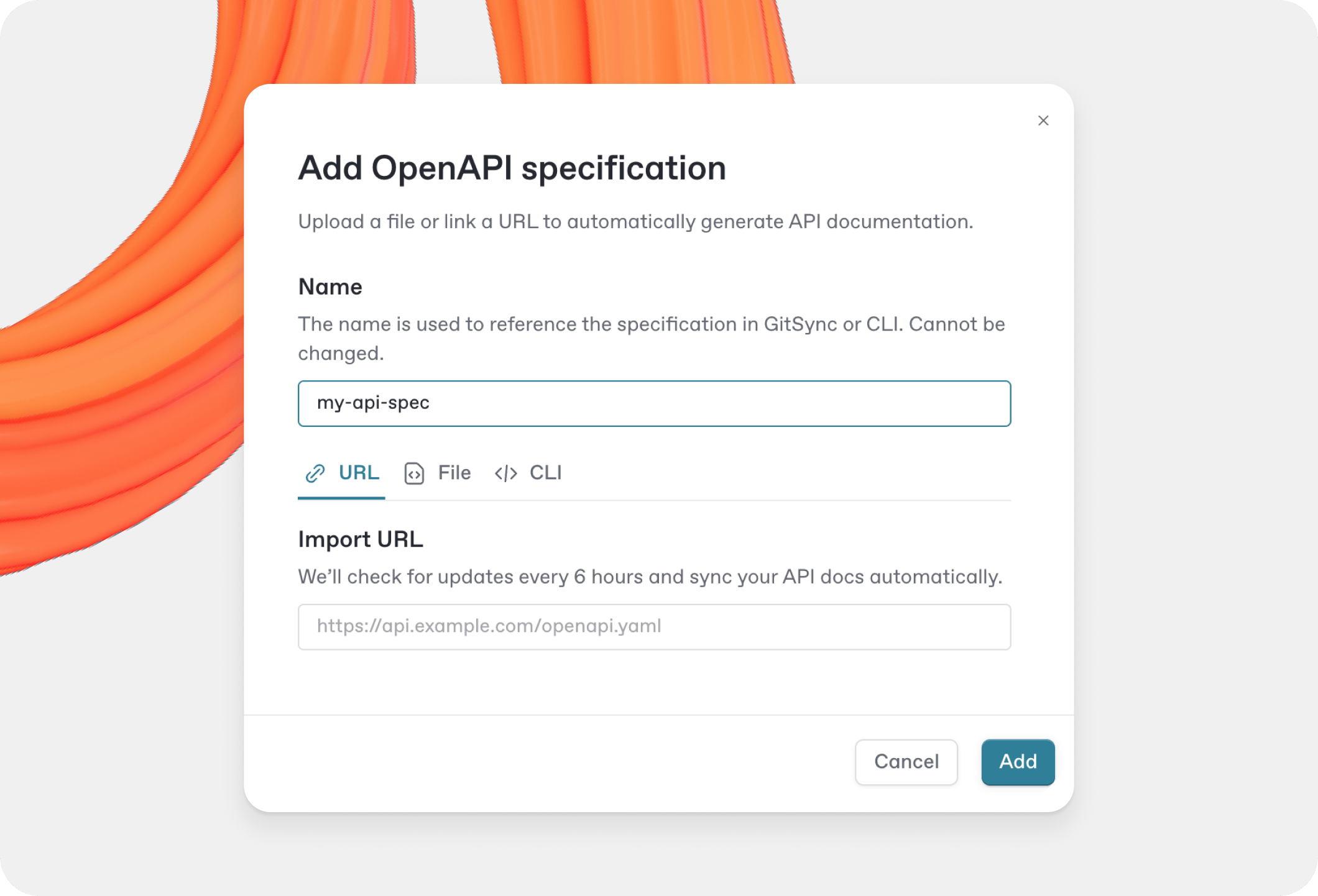
3. Donnez un nom à votre spécification. Cela permet de l’identifier, surtout si vous gérez plusieurs spécifications
4. Choisissez l’une des options suivantes :
* Téléversez un fichier (par ex. *openapi.yaml*)
* Saisissez l’URL d’une spécification hébergée
* Utilisez la CLI pour publier la spécification
Fenêtre modale d’ajout d’une spécification OpenAPI.
### Mettre à jour votre spécification
Vous pouvez mettre à jour votre spécification OpenAPI à tout moment à l’aide de l’interface GitBook ou de la CLI, quel que soit le mode d’ajout initial.
#### Dans l’application GitBook
Dans le panneau OpenAPI :
* Si votre spécification est liée à une URL :
* GitBook vérifie automatiquement les mises à jour **toutes les 6 heures**.
* Pour récupérer les mises à jour immédiatement, cliquez sur **Vérifier les mises à jour**.
* Si votre spécification a été téléversée sous forme de fichier :
* Cliquez sur **Mettre à jour** pour téléverser une nouvelle version.
* Vous pouvez passer d’une source Fichier à une source URL en cliquant sur **Modifier** dans le menu d’actions du fil d’Ariane.
#### Avec la CLI
Utilisez la même commande pour mettre à jour votre spécification :
```bash
gitbook openapi publish --spec api-spec-name --organization organization_id
```
Vous pouvez aussi utiliser la CLI pour **Vérifier les mises à jour** en exécutant la commande de publication sur la même URL.
Lisez notre [Intégration avec CI/CD](/docs/documentation/fr/creer-du-contenu/openapi/guides/support-for-ci-cd-with-api-blocks.md) guide pour apprendre à automatiser la mise à jour de votre spécification.
---
# Agent Instructions
This documentation is published with GitBook. GitBook is the documentation platform designed so that both humans and AI agents can read, navigate, and reason over technical content effectively. Learn more at gitbook.com.
## Querying This Documentation
If you need additional information that is not directly available in this page, you can query the documentation by asking a question.
Perform an HTTP GET request on the following URL with the `ask` and `goal` query parameters:
```
GET https://gitbook.com/docs/documentation/fr/creer-du-contenu/openapi/add-an-openapi-specification.md?ask=&goal=
```
`ask` is the immediate question: it should be specific, self-contained, and written in natural language.
`goal` is what the user is ultimately trying to achieve, the reason they need the answer. Sharing it helps GitBook give you a better, more relevant answer. A goal is most helpful when it describes the outcome the user wants rather than restating the question. For example, with `ask=how do I create an API token`, a goal like `automate deployments from our CI pipeline` lets GitBook tailor the answer to that use case.
The response will contain a direct answer to the question and relevant excerpts and sources from the documentation.
Use this mechanism when the answer is not explicitly present in the current page, you need clarification or additional context, or you want to retrieve related documentation sections.